

THERE be none of Beauty’s daughters
With a magic like Thee;
And like music on the waters
Is thy sweet voice to me:
When, as if its sound were causing
The charméd ocean’s pausing,
The waves lie still and gleaming,
And the lull’d winds seem dreaming:
And the midnight moon is weaving
Her bright chain o’er the deep,
Whose breast is gently heaving
As an infant’s asleep:
So the spirit bows before thee
To listen and adore thee;
With a full but soft emotion,
Like the swell of Summer’s ocean.
- George Gordon Byron (1788-1824)
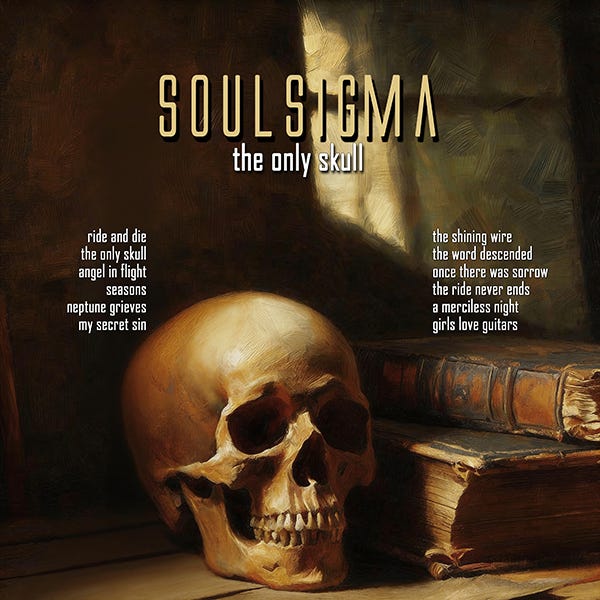
The follow-up to the first Soulsigma album will be called Byronics, and like two of the songs from The Only Skull, the name of which was inspired by Byron’s poem Lines Inscribed Upon a Cup Formed from a Skull, all of the songs are, just as the name suggests, more or less based upon them. In most cases, it was necessary for the sake of musical purposes to engage of the sacrilege of adding a chorus, cutting a stanza, or even, occasionally, adding an additional stanza.
But George Gordon would be the last to blush at sacrilege, particularly in the service of Beauty.
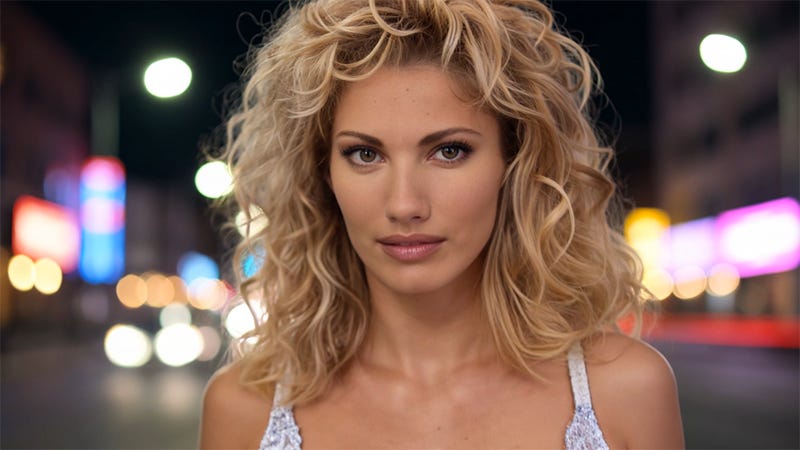
As the readers here all know, I’ve been learning how to produce AI video to accompany the music, and what follows is a video for the song Perfection, which is based on the poem at the top of the post. I wrote it for a longtime friend last year, and when I asked her if she would like to star in the music video, she cheerfully agreed.
PERFECTION by Soulsigma
The various tools utilized were:
Suno 5.5 Studio: the ability to separate the vocal stem from the instruments was vital for the lipsync process.
Bandlabs: Mastering. Went with the Universal effect this time instead of the usual Tape.
OpenArt Director: This did a good job of providing the look, but two-thirds of the clips it ordered were complete wastes. If it cost one-quarter in tokens what it actually costs, I wouldn’t hesitate to use it every time, but it’s just too expensive to be so unreliable.
Capcut: A very good free video editor. I’d buy the Pro version if it was a product, but I’m not signing up for any subscription I’m not going to use every single week.
Clarify Lipsync: this is expensive in terms of credits, but absolutely vital for music videos. The other four options, all of which I’ve tried on previous videos, flat-out don’t work very well and usually require being hidden in post.
Audacity: audio editor for cropping the mix for the video and the vocal clips for the lip-syncing
Seedream 4.5: Still provides more reliable, more attractive images from which to build the video clips than Seedream 5.0 or any other image model.
Nano Banana Pro: provided the background images and objects.
Seedance 2.0: Seedance is powerful when it comes to background details and action movements, but really doesn’t maintain character consistency very well. Worse, both it and its little brother, Seedance 2.0 Mini, both seem to have trained-in character types to which they tend to resort regardless of what images they are provided. If you look closely at the girl, you can see there are two similar, but different types, one with a sharper nose, a broader mouth, and more peaked eyebrows than the other; it became evident that any pretty blonde of a certain body type reverts to Paige Spyrinac when one close-up clip was quite obviously her and not the provided images.
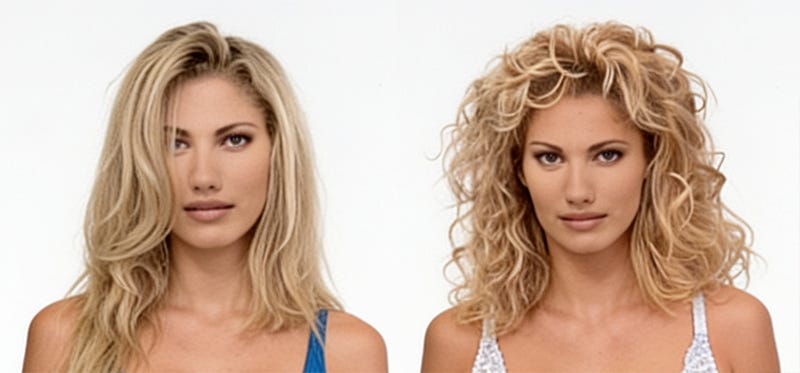
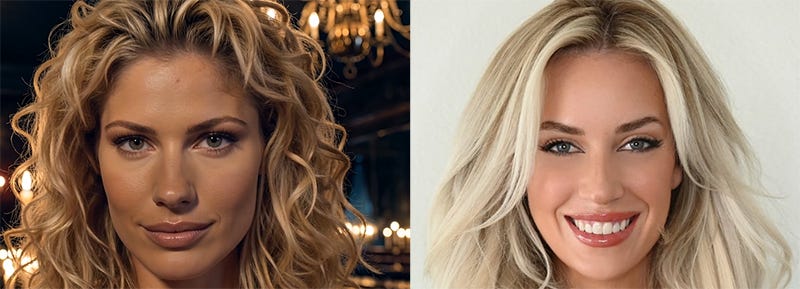
Notice that if you compare the Seedance 2.0 screencap above on the left to the Kling 3.0 Omni screencap at the top of the post, the latter is much, much more consistent with the original source.
Kling 3.0 Omni: character consistent clips. It’s not only less costly than the other video models, but it does a much better job of making the video character actually look like the base image regardless of whether the base image is organic or generated.
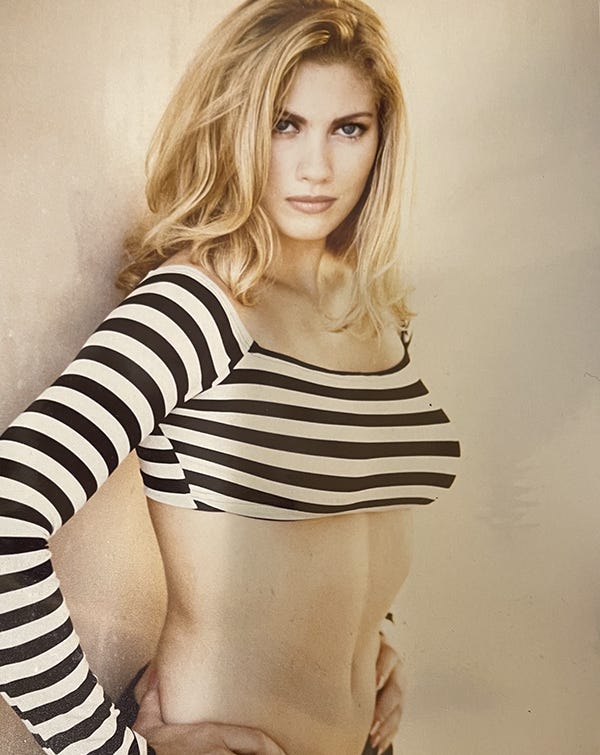
So you can see how well the AI manages to maintain consistency and represent characters, a picture of the real woman can be seen below. One can hardly doubt that Byron would have found her worthy of his poetry. Her one complaint about the video was that it turned her blue eyes brown, which is a consistent problem with AI that is surprisingly hard to correct; every attempt to do so at the prompting stage tends to produce neon blue cyborg eyes that look like they’re designed to shoot laser beams. I assume it’s possible to fix them in post, but that is currently beyond my very limited editing skills.
Annoyingly close describes the current state of the tech.
Impressive describes your manipulation of it.
Byron's work, is as ever the magnetic model for a vampire's charm.
When you use fellows that look like Daft Punk, you don't need lipsync anymore though. That is, however quite limiting, and a beautiful robot woman...
Shining chrome hasn't quite the allure of flesh, in spite of what some desperate men might say.
Thinking on it, glowing neon eyes isn't a problem for robot characters either.
Amazing.