

As previously promised, here is an early review of Suno Studio, which is presently Beta early access preview V0.8.0. A number of improvements to the original Beta preview have already been made, but it’s clear that more are necessary before Studio will be able to live up to its obvious promise. Suno has clearly been paying attention to the feedback it has been receiving from its Beta previewers, so there is reason to believe it will continue to become more and more useful over time.
That being said, at present, I still find using the Cover song feature to be more useful for necessary song edits, particularly lyrical edits, than Studio. I will demonstrate why that is the case in this post.
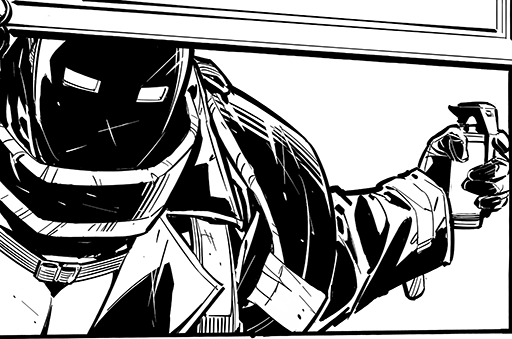
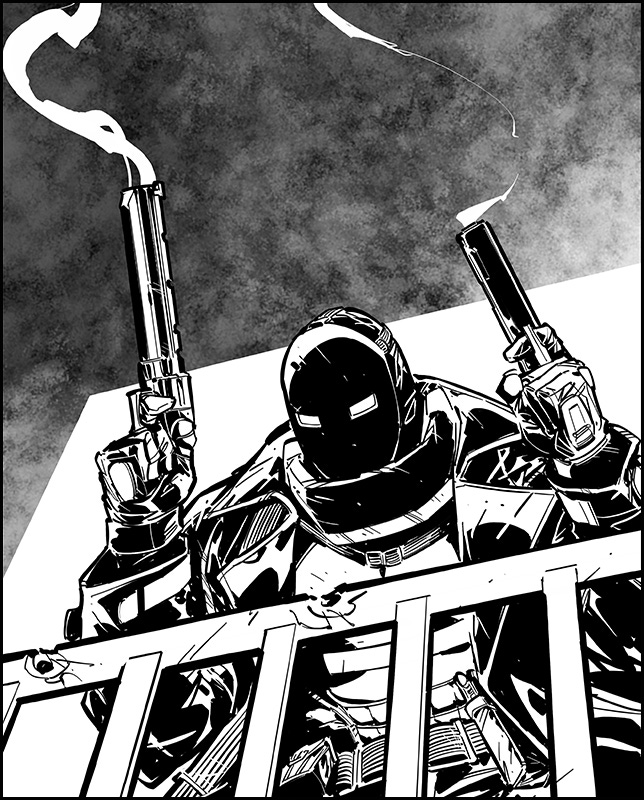
FADE TO BLACK is a song written for the upcoming BLACK WARRANT crowdfund. It’s a song about a Chuck Dixon vigilante-hero who can be thought of as an even less-merciful version of The Punisher. You can hear the original Suno v.4 version of it here, and see why some of the more awkward lyrics require modification.
Now, the song rocks nice and hard, but it’s got a few unfortunate lines that are a bit on the lame side. These are not AI lyrics, but sometimes, the weakness of a line doesn’t really come out until you actually hear it. The line flows fine, but it comes off as prosaic to the point of childishness rather as than the dark spin on Santa making a list it was intended to be.
He knows that you’ve been bad, he knows that you’re not good
The first phrase is fine, the second one is quite literally not good. So, prior to Studio, the usual way to change the line would be to Open in Editor, select that one line in the lyrics, and replace it by entering in the new lyrics, and hitting the orange Replace button.
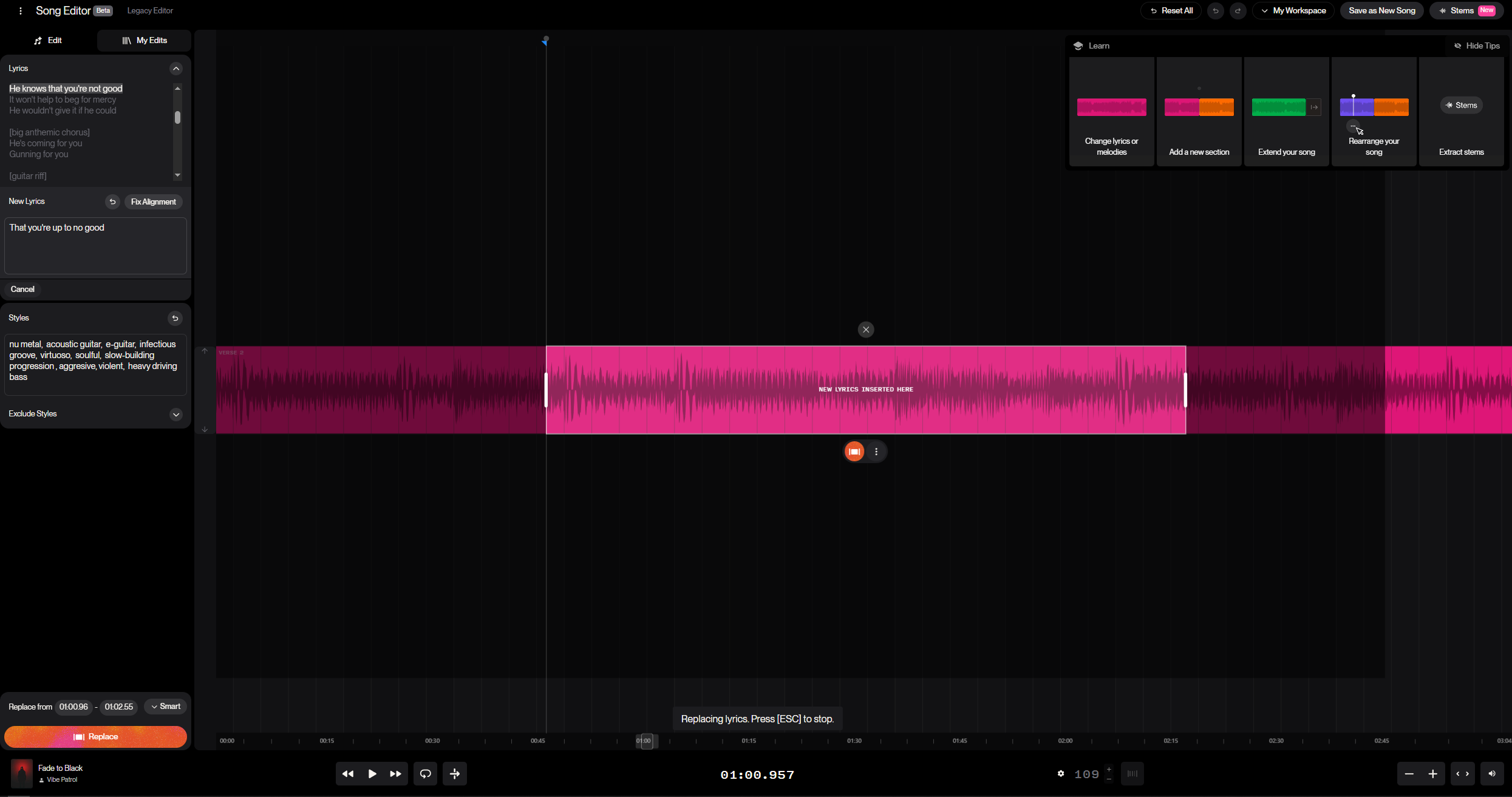
We’re going to try replacing the phrase “he knows that you’re not good” with this:
that you’re up to no good
However, in six attempts, this change simply doesn’t work. While Editor kept the music pretty much the same as before in each of its six tries, it doesn’t get the lyrics correct in any of its first six attempts. The closest it gets is “he knows that you’re no good”. Also, while the voice is correct, it’s weak and lower in volume than the preceding and the following lines.
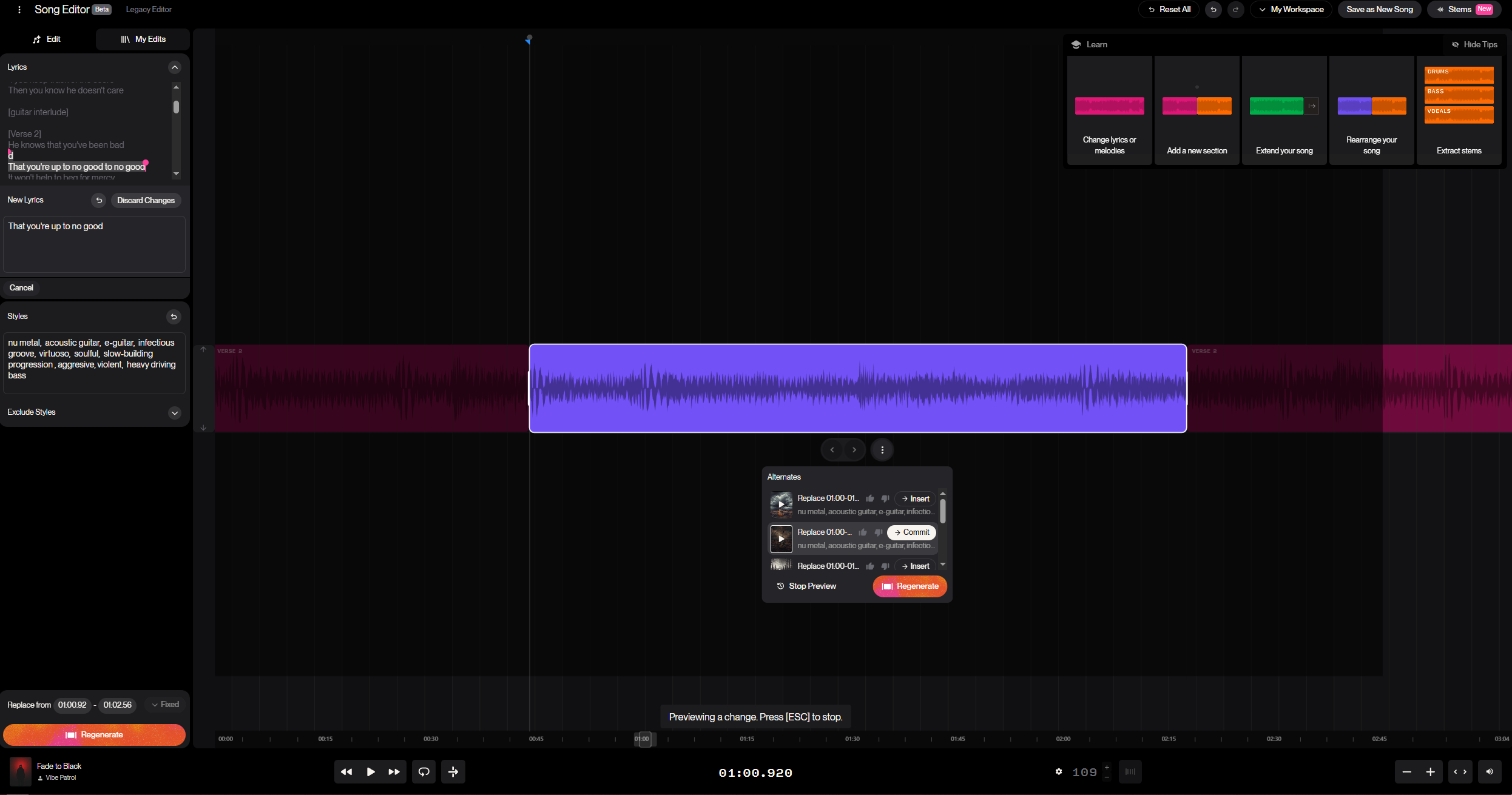
The solution here was traditionally to go back and have Editor recreate the entire verse when the drop-ins weren’t working. But now we’ve got Studio, which in theory permits us to leave the instrumental alone and try modifying just the lyric on the lead vocal track. And while this was basically impossible with an earlier Beta version, Suno has improved its interface so that it’s pretty clear how to go about doing that now.
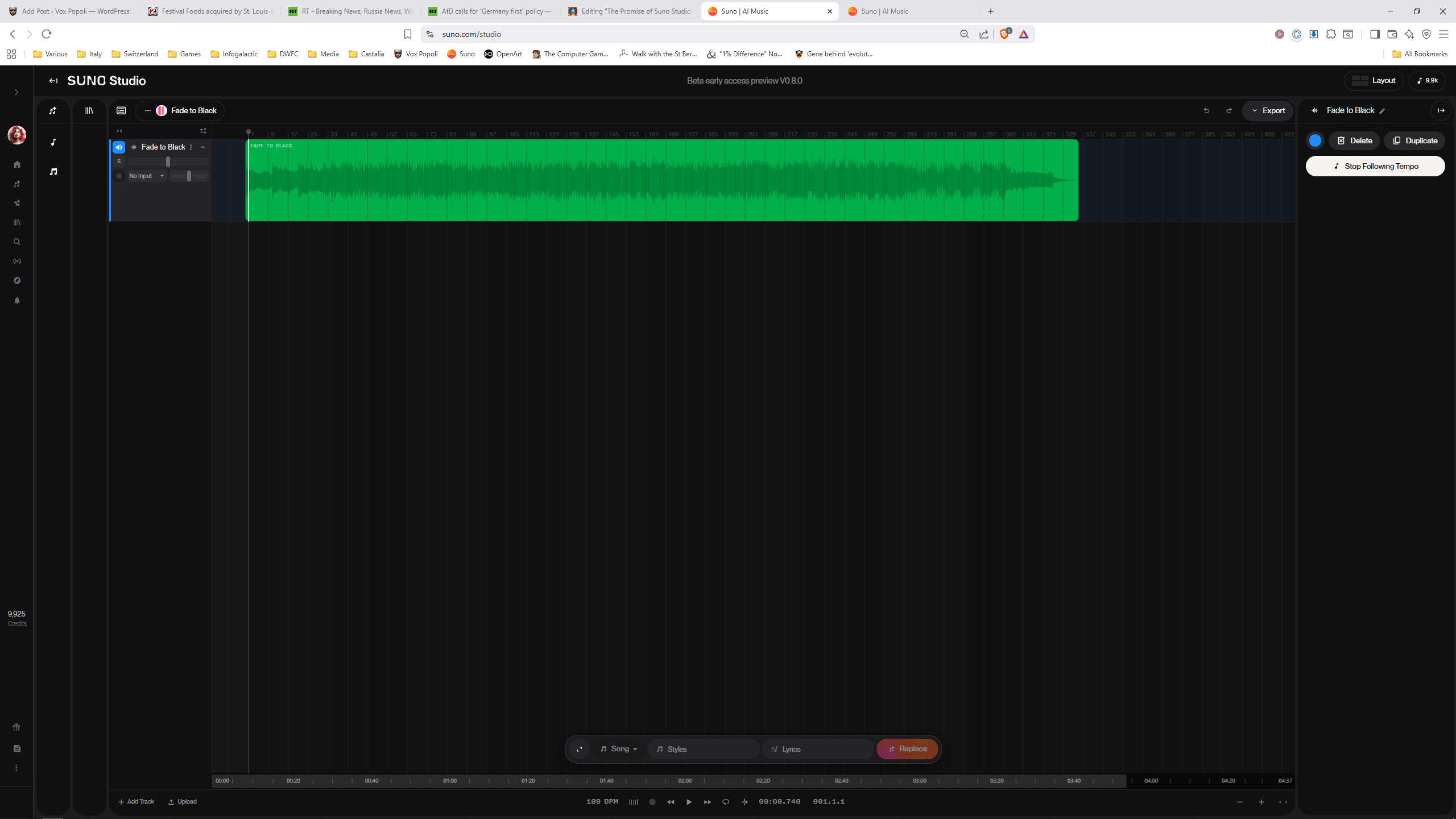
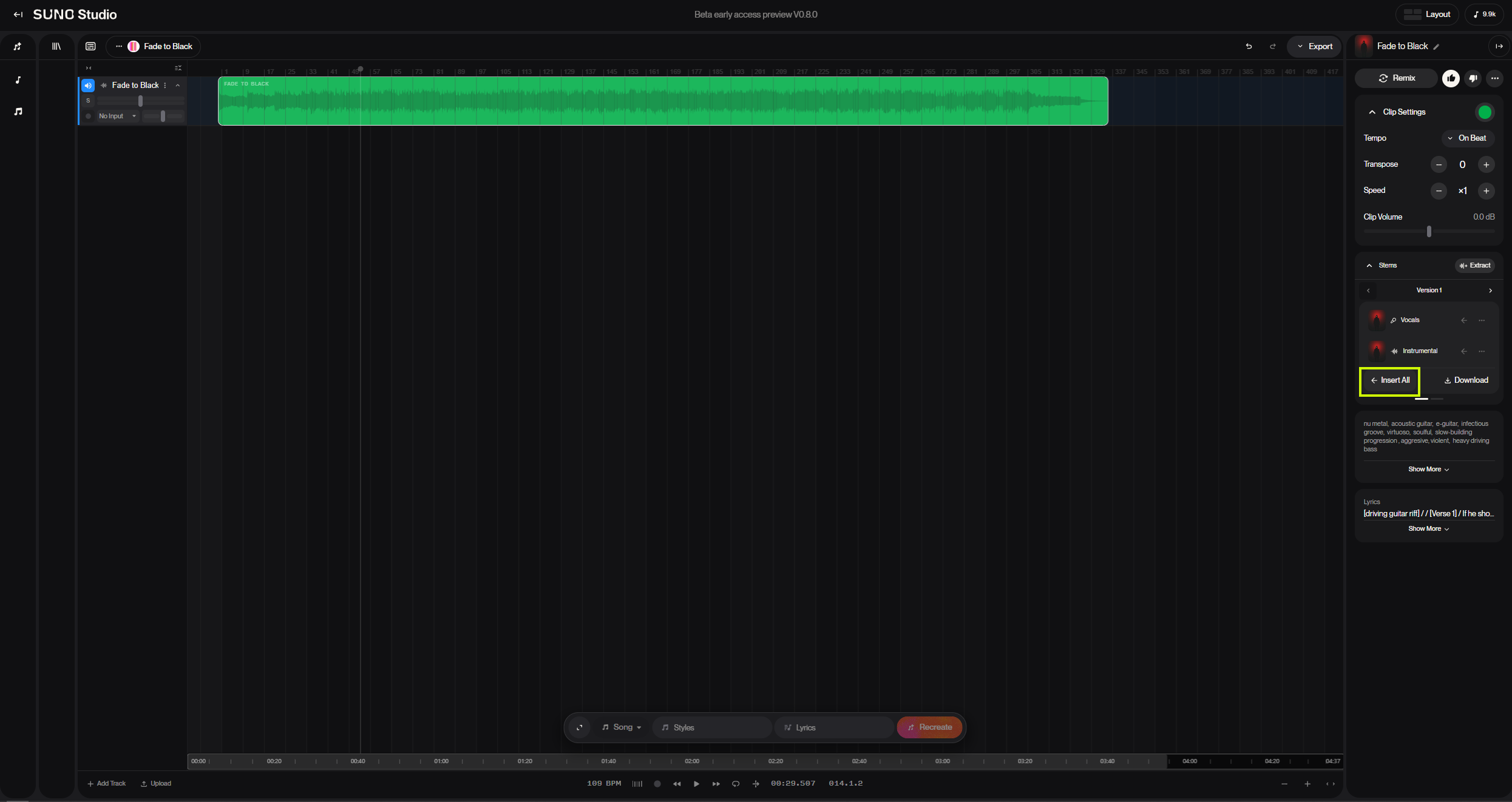
So, we’ll open the track in Studio. This is what it looks like. To make any changes, we’ll have to first Extract the Stems. This is easy, although the interface doesn’t make it quite as obvious as one might like. But double-clicking on the top of the green bar will bring up an Extract Stems option on the right.
Since we’re only trying to change the lyric of the main vocal, we don’t need to extract all the different instrument stems, just the Vocal and Instrumental stems. Then it’s necessary to Insert the stems into the Studio; I’ve highlighted the Insert All button in the image below. The stems can also be downloaded using the Download button in case you prefer to do your modifications and final mixing in your Digital Audio Workstation.
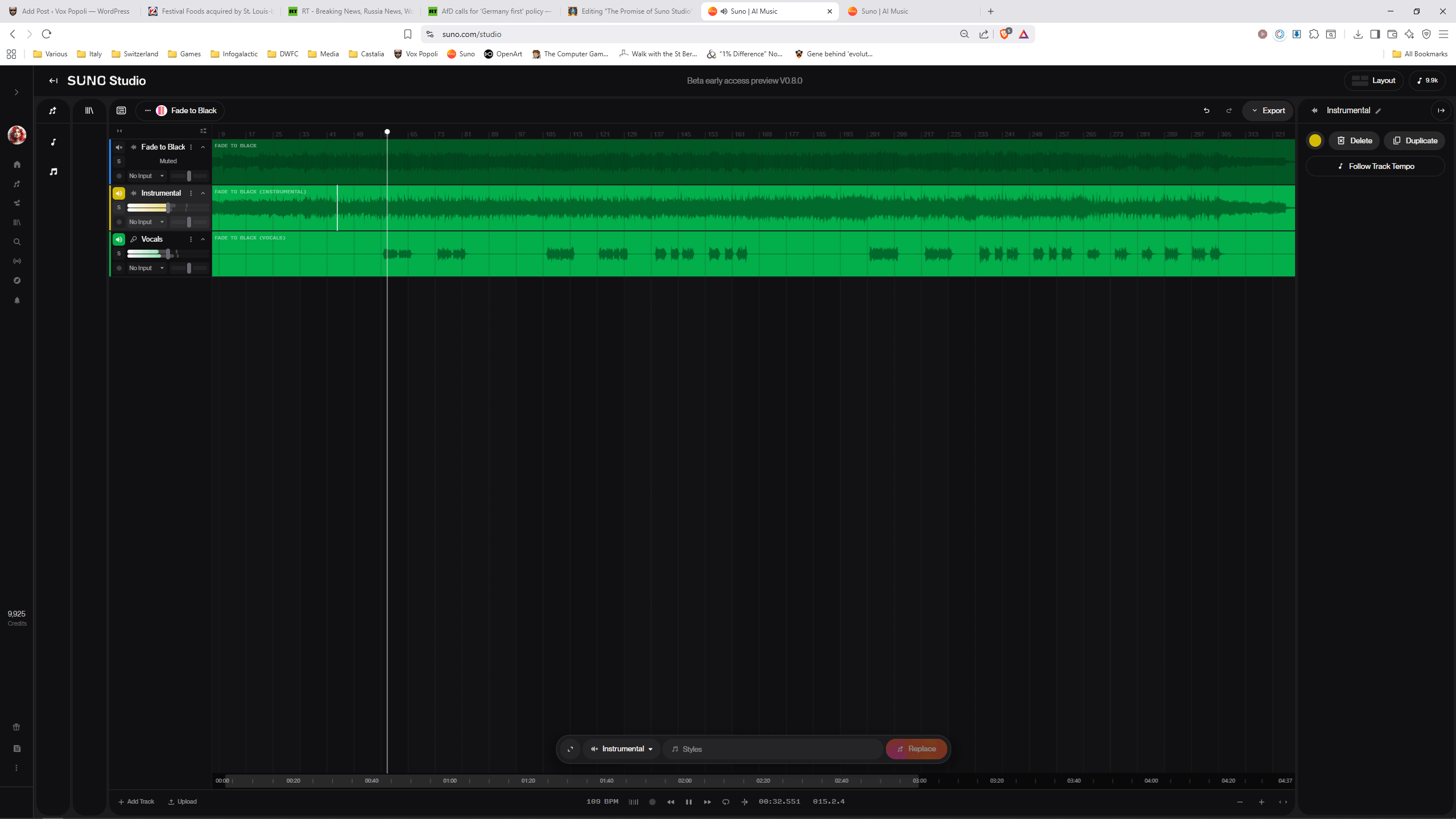
Below is what it looks like after the two stems have been inserted. The original track is automatically muted, which is a nice touch, and there is a visual display of both tracks which make it very easy to find the section of the Vocal track that needs modification. In the screen shot below, you can see that both tracks are currently playing, but it’s easy to Solo or Mute a single track with the S and M buttons in the track-specific controls.
Once we’ve got our tracks extracted and inserted, we can start making the changes we want to hear. So, I’ve zoomed into the verse that contains the line we want to change, selected the line, and opened the description box shown near the middle bottom of the screen. Clicking the icon on the left opens up the box and allows for more detail showing a) the style and b) the lyrics. I’ve entered the new lyrics, left the Style blank - for some reason it shows “Hip-hop, R&B, upbeat” in the style box, but greyed-out so presumably inapplicable, and now I can hit the orange Replace button to provide the usual two alternatives.
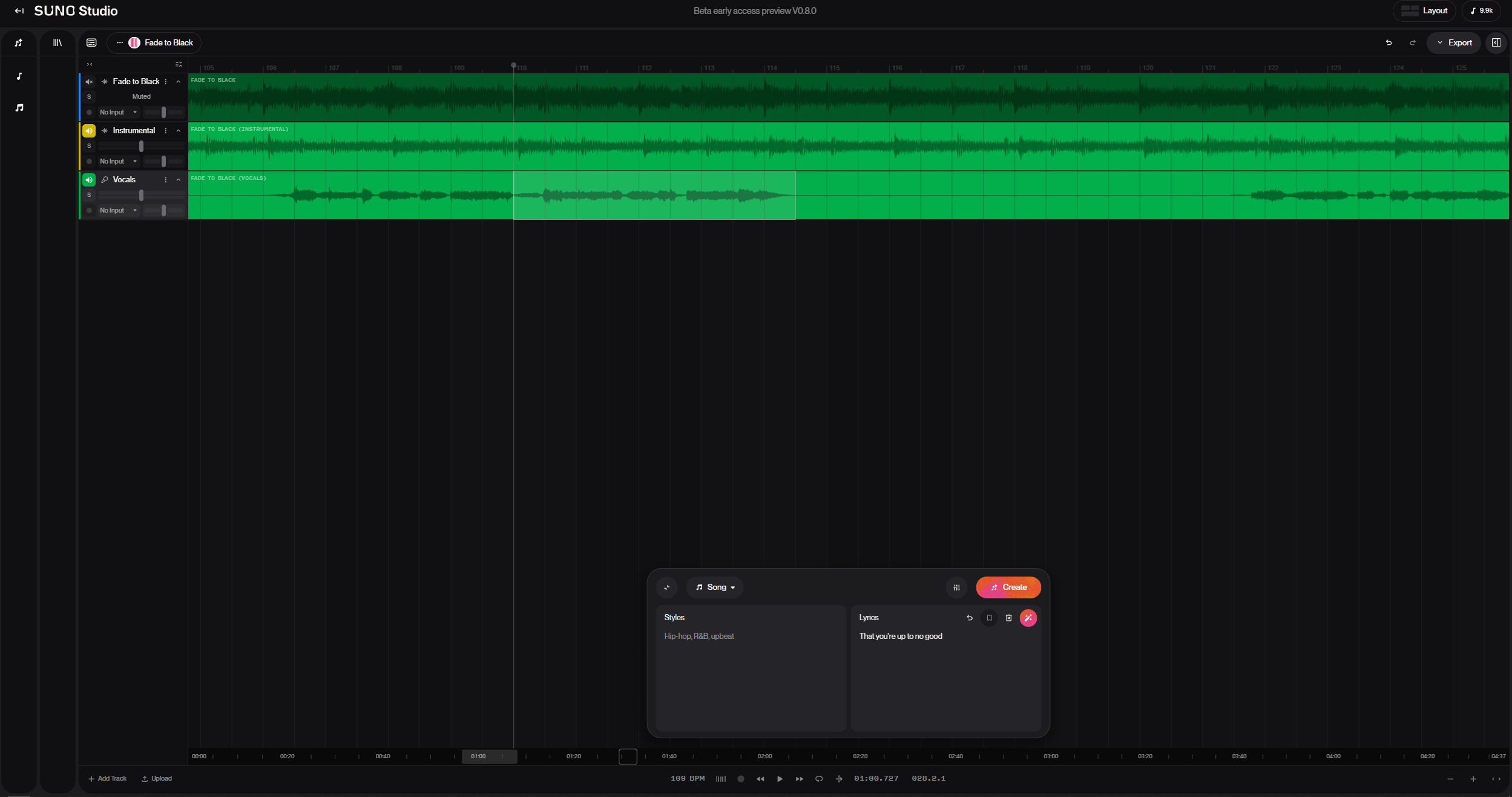
Unfortunately, the two replacements are quite clearly unviable even though the lyrics are correct this time. One voice is female, the other one is a very different male voice with a very different timing. This corresponds with my previous experience with an earlier version of Studio, which actually incorporated instrumentals on the vocal track, as well as several earlier attempts with this version.
So we have to conclude that either a) Suno still has some work to do in making the vocal track stay consistent or b) Suno needs to tell us how to specify that vocal track consistency prior to the release of Studio.
Fortunately, we still have the Cover option. This, of course, means losing the precise instrumentation of the original track, but that’s not necessarily a bad thing, particularly when one now has the advantage of covering a 4.0 track with 4.5. One thing that many people don’t realize is that Remix/Cover allows you to make changes to the lyrics as well as to the style, as shown here.
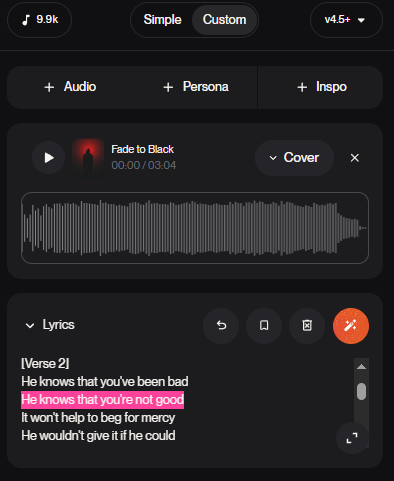
And voila. Just two spins later, and we’ve got a new version of FADE TO BLACK that is more complex, darker, and rocks even harder than the original. By cranking up the Audio Influence to 100 and reducing the Weirdness to 0, we’re able to maintain a high level of musical and vocal consistency from the original to the cover, while also modifying the lyrics we wanted to change. We even got the addition of a very cool coda at the end, and thereby merits christening as The Legend Unleashed mix, in honor of the creator of Black Warrant, The Legend Chuck Dixon.
It’s not quite perfect. I think I’d like to reduce the length of the two screams that end the two choruses, and possibly take out the guitar line from 2:59 to 3:05, so I might give that a try in Studio next. But we’ll give it more listens and a few days to settle before deciding upon any further modifications.
I have absolutely zero doubt that Suno Studio is going to realize its potential. In fact, it already works very well to remove various undesirable elements, or to add additional elements. Where it still has considerable room for improvement is the modification of existing elements.
I'm constantly using the Cover feature. A lot of times I'll experiment with different style prompts to get an instrumental I like, then add lyrics by making a cover. Then I'll splice in parts of the original instrumental for instrumental solos and such.
As a rock afficianado, I really enjoyed this and have a really hard time believing that it needs any further modifying (refering to the second iteration). Will it be available for purchase?